
Connect to your database using Sequel Ace (macOS)
Sequel Ace is a macOS-only database management application for MySQL/MariaDB, and is perfect for exporting/importing SQL database dumps from/to your SiteRig Cloud Space database, as well as modifying records in your database.
- Start by clicking on Quick Connect and selecting the SSH tab and then entering the following details into the fields available:
- Name: Name of your website (optional)
- MySQL Host: 127.0.0.1
- Username: your-database-username
- Password: your-database-password
- Database: your-database-name
- Port: 3306
- Time Zone: Use Server Time Zone
- SSH Host: your-server-name.your-data-centre.siterig.net
- SSH User: your-username
- SSH Password: your-password
- SSH Port: 22
-
Leave all other fields at their default values, and then you can then click Connect or Add to Favourites to get started with your database.
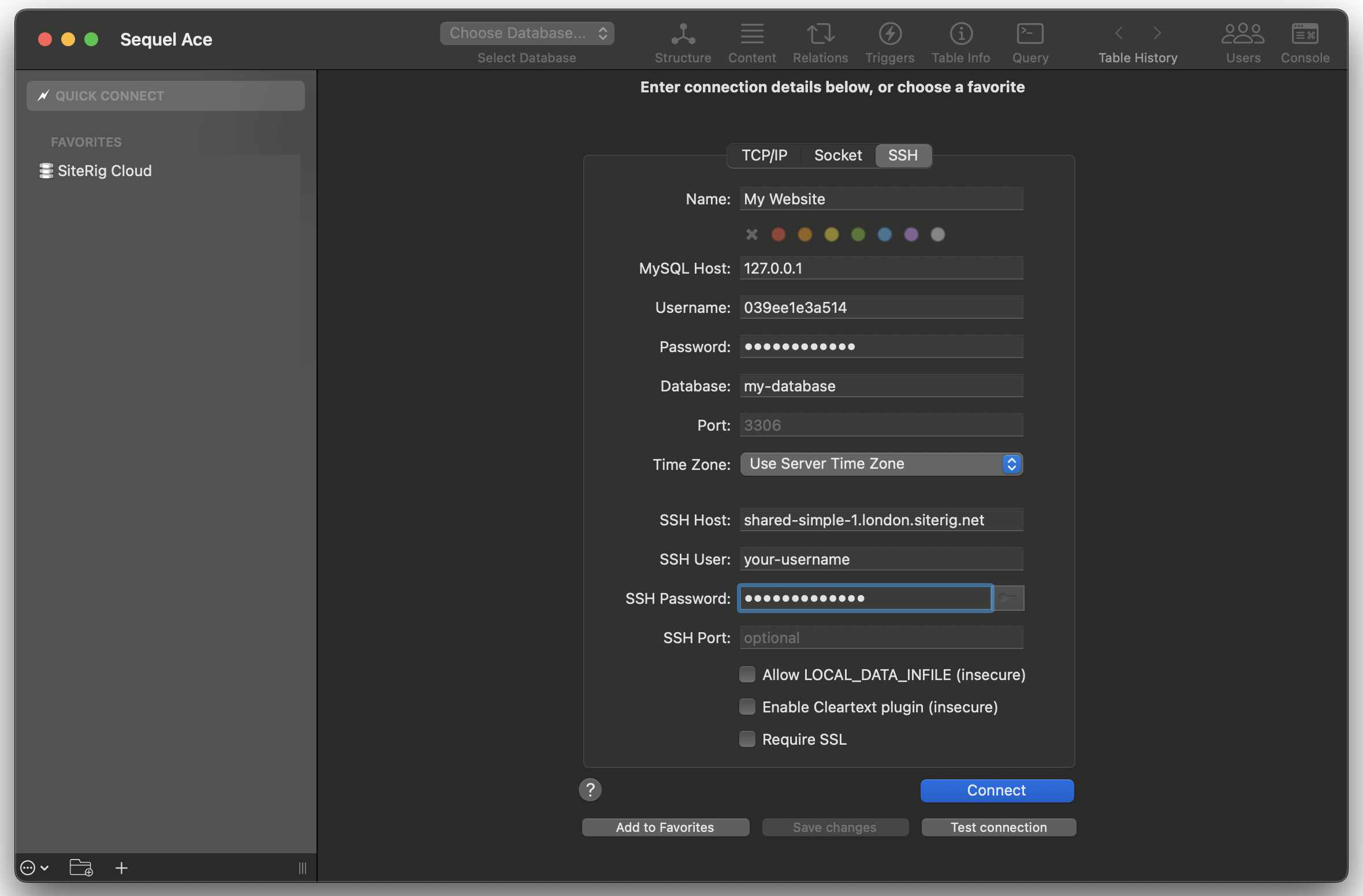
Sequel Ace New Connection
